Users with appropriate role permissions can order Pearson paper test materials from ADAM if applicable.
See also: Orders Reporting
Manage Orders
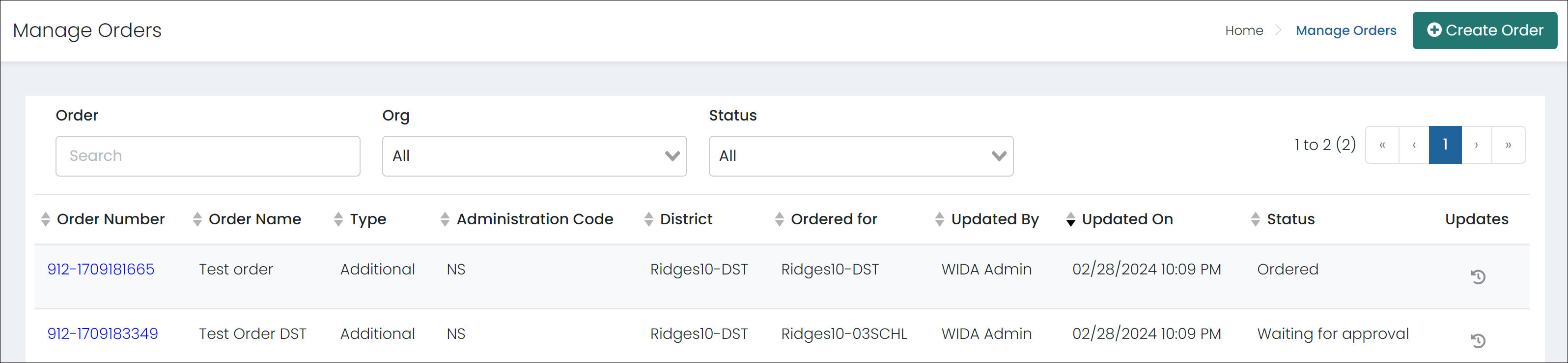
Use the Manage Orders page to create, delete, approve or reject orders. This page lists existing orders and their status (ordered, waiting for approval, rejected). Orders cannot be edited after they are approved.
Go to Orders > Manage Orders. From here:
- Select Create Order on the top right to create a new order. You will need the Admin Code, Date Needed and a Reason for Order. Select the district or school to ship to and the materials to order.
- Select an Order Number in the list to view or edit the details or Approve Order or Reject Order (for roles with permission to approve orders). When rejecting an order, a reason is required.
- Select the Updates icon to view a full history of the order from creation to approval and order sent.
- Sort by any column. A new column, Need by Date, makes it easier to prioritize order approvals.
Tiny Link: https://support.assessment.pearson.com/x/QAEnC